Why Every Family Historian Should Digitize Their Genealogy Documents
*This post may have affiliate links, which means I may receive commissions if you choose to purchase through links I provide (at no extra cost to you). All opinions remain my own.
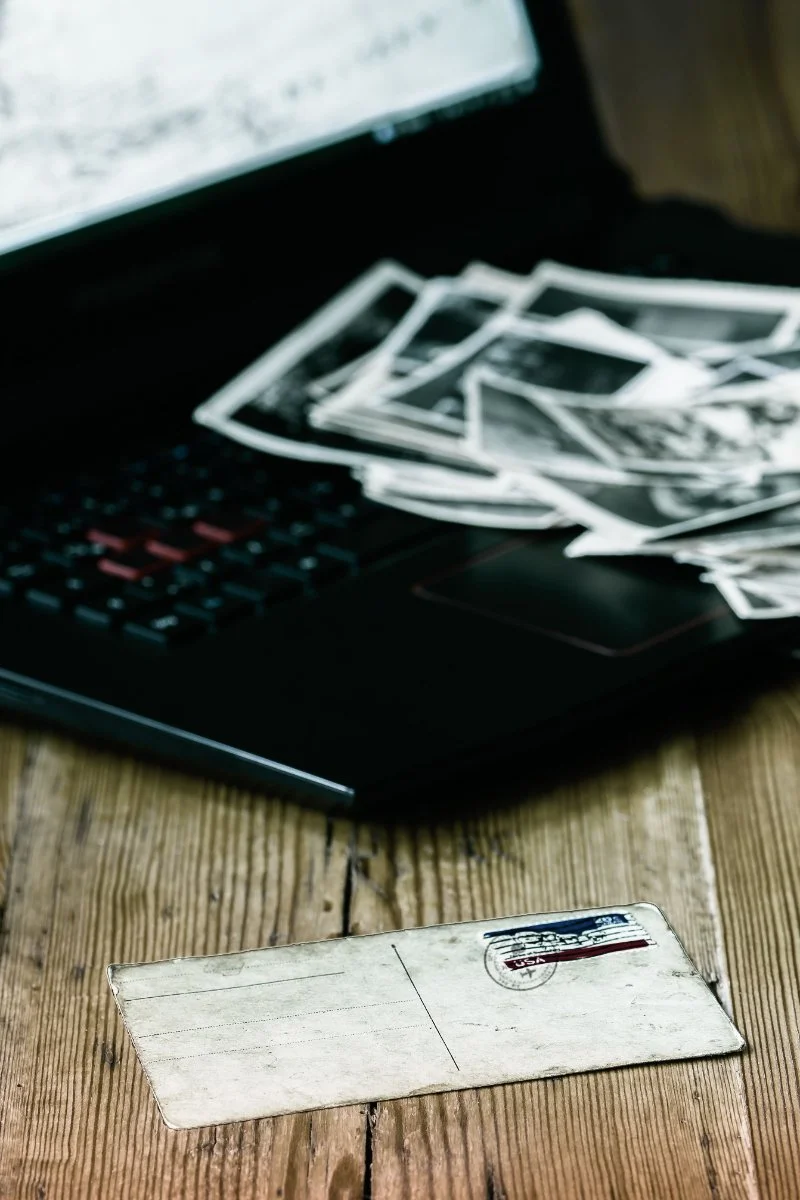
Digitizing your genealogy documents helps protect your family history from damage, keeps your research organized, and makes it easier to share important records with future generations. Whether you have a box of old family photographs, handwritten letters, or birth certificates passed down through generations, creating digital copies is one of the simplest ways to preserve what you've found.
And you don't need expensive equipment or a complicated filing system to get started (thank goodness!).
I'm Jessica, the genealogist behind Heritage Discovered. I've spent over 20 years researching family history, and I know how much information can be tucked away in a single document. If you're trying to organize your family records or track down missing information, my genealogy research services can help you take the next step.
Protect Irreplaceable Family History From Damage and Loss
Think about the oldest document in your family collection. Maybe it's your grandmother's marriage certificate, a handwritten recipe, or a letter sent home during the war.
Now imagine what would happen if it were lost or damaged.
Paper doesn't last forever. Over time, moisture, sunlight, pests, and frequent handling can cause documents to fade, tear, or become difficult to read.
Digitizing your genealogy documents gives you another way to preserve the information they contain.
According to the U.S. National Archives, digital copies also allow you to view family papers without repeatedly handling fragile originals.
Remember, digitizing doesn't replace proper storage. You'll still want to keep your original documents somewhere safe.
Make Your Genealogy Documents Easier to Find and Use
Have you ever spent half an hour searching for a record you were sure you already had?
When genealogy documents are scattered across boxes, folders, and computer downloads, finding the right information can become frustrating.
A simple digital filing system makes your family history research much easier to manage.
For example, you could create folders for:
Family surnames
Individual ancestors
Birth, marriage, and death records
Census and immigration records
Family photographs and letters
Give each file a descriptive name, such as Smith_Mary_Marriage_1892.pdf, instead of something like Scan0045.pdf.
That way, you can quickly recognize the record without opening every file.
Need a little help getting organized? Start with my blog post on How to Organize Your Genealogy Files With Binders for tips on sorting your paper records. Then, check out my Complete Family Story Organizer, a digital workbook that helps you keep track of your ancestors, family details, photos, and research notes in one place.
Share Family Records Without Risking the Originals
One of the best parts of genealogy research is sharing what you've learned with your family.
Maybe your cousin is researching the same great-grandparents. Or perhaps your children are finally curious about those old family photographs.
Instead of mailing an original document or passing around a fragile photograph, you can send a digital copy.
This makes it easier to:
Share family discoveries with relatives who live far away.
Ask family members to help identify people in old photographs.
Compare documents with another researcher's findings.
Create family history books or printed keepsakes.
Before sharing, check whether a record contains sensitive information about living relatives. You may want to remove personal details from the copy you send.
Preserve the Details You Might Need for Future Genealogy Research
Sometimes, a document holds information that doesn't seem important until years later.
An old letter might mention a town you've never heard of. A photograph might have a name written on the back.
Even an envelope could contain a useful address or postmark. I can’t tell you how many images of letters I’ve seen added to Ancestry trees without the envelope, and it pains me every single time. The envelope often holds important context, like the town where the recipient lived and the date it was mailed. Those details are often clues that can help you break through a brick wall.
When digitizing your genealogy documents, capture the entire document, including the back.
Don't crop out handwritten notes, stamps, margins, or other markings.
You might not know why those details matter today. But they could help you identify a relative, confirm a location, or follow a new research lead later.
What Genealogy Documents Should You Digitize First?
You don't have to digitize every piece of paper in your collection this weekend.
Start with records that are difficult to replace, already showing signs of wear, or especially important to your family.
Here are some good places to begin:
Vital records: Birth, marriage, and death certificates.
Family photographs: Especially older pictures with handwritten names or dates.
Letters and diaries: Personal accounts that reveal details about your ancestors' lives.
Immigration and naturalization records: Documents that help trace family movements.
Military records: Service papers, discharge documents, and related correspondence.
Family Bibles: Pages containing handwritten births, marriages, and deaths.
Land and property records: Deeds and other documents that show where relatives lived.
If you're feeling overwhelmed, choose one ancestor or one family branch to start with.
Small projects are much easier to manage than an entire lifetime of collected research.
Not sure which genealogy documents you already have or what you should look for next? My Genealogy Records Workbook helps you keep track of the records you've found and gives you ideas for other documents worth searching for. It's a handy way to organize your research as you go!
How to Digitize Genealogy Documents Without Expensive Equipment
You probably already have what you need to begin.
For most everyday genealogy documents, a smartphone camera or a basic flatbed scanner will work.
Use a Scanner or Smartphone
A flatbed scanner is useful for flat papers and photographs that can be handled safely.
If you're using your phone, place the document on a clean, flat surface with even lighting. Hold your phone directly above it and check that the image is sharp.
For standard paper documents, 300 dpi is a useful starting point when scanning. Small handwriting or photographs may benefit from higher resolution.
Save a high-quality master copy, preferably as TIFF or a high-quality JPEG image, and create a PDF when you need a convenient reading or sharing copy.
Handle Fragile Records Carefully
Some records need extra attention.
The National Archives recommends avoiding automatic document feeders for fragile papers because they can tear or become trapped. Bound books should also be supported rather than forced flat.
If a document is brittle, tightly rolled, or falling apart, don't force it open.
Consider asking an archive or professional conservator for advice before attempting to scan it.
Don't Forget to Record Where Each Document Came From
A digital copy is much more useful when you know where the original record came from.
Imagine finding a marriage record in your computer files five years from now but having no idea which archive, website, or relative provided it.
You may struggle to verify the information or locate the original again.
For every genealogy document, record:
The name of the person or people mentioned.
The type and date of the document.
Where you found it.
The archive, collection, or website name, if applicable.
Any reference numbers, page numbers, or other identifying details.
You can keep this information in a spreadsheet, research log, or notes file.
Even better is adding the information to the metadata of the file. Metadata is information stored inside a digital file that describes what it is, such as the date, a title, or a short note about where it came from. For Windows users, you can add it by right-clicking the file, choosing Properties, and opening the Details tab, where you can fill in fields like title, subject, tags, and comments. For Mac users, you’ll find similar features using Get Info.
The exact steps can vary depending on your software, so try searching for instructions that match the program you’re using.
A source citation helps you retrace your steps and explain where your family history information came from.
Want an easier way to keep track of your research? Check out my guide on how to create your own genealogy tracker. I'll walk you through what to record so you can keep your sources, research notes, and future leads organized (without relying on your memory!).
Back Up Your Digitized Genealogy Records
Once you've spent time scanning and organizing your family documents, make sure you don't lose the digital copies.
Computers fail. External hard drives stop working. Files can also be accidentally deleted.
The National Archives recommends following the 3-2-1 backup rule:
Keep three copies of your important files.
Store them on two different types of storage.
Keep at least one copy in a separate location.
For example, you could keep your main collection on your computer, another copy on an external drive, and a third in secure cloud storage.
I have two physical copies of almost everything, especially things that can’t be reordered, like letters. One lives at my house and one at my dad’s house. Then I have everything on two different cloud storage systems and a flash drive. I know that may seem like a lot, but it’s the best way to protect all your research. I’ve spent thousands of dollars and 20 years on my research and I don’t want to risk it.
The Library of Congress also recommends checking your files at least once a year to make sure they're still accessible.
Set a reminder to review your backups regularly (future you will appreciate it!).
What to Do With the Original Documents After Digitizing Them
Once your genealogy documents are digitized, keep the originals whenever possible.
Digital copies are wonderful for everyday research, but they aren't a complete replacement for physical records.
Store your original documents in archival-quality folders, sleeves, or boxes that are appropriate for the material.
Choose a cool, dry location away from direct sunlight, moisture, and extreme temperatures.
Avoid storing valuable papers in damp basements, garages, or hot attics.
If you've inherited a large collection, label your storage boxes so you can easily match each original with its digital copy.
Here are some options for supplies to get you started:
Letter-size upright document boxes like this Lineco document storage box.
Legal-size upright document boxes like this Lineco storage box for larger documents.
Archival file folders like these acid-free file folders. Or legal-size folders like these ones for oversized records.
Record storage boxes if you have a lot of documents like this one from Gaylord Archival.
Sheet protectors this these sleeves for documents or photos. Or buy them in bulk in packs of 50 to 250 if you have a lot of documents.
Choose boxes that are large enough so the folders can lay or stand upright without bending.
When an Archive May Have Records You Can't Find at Home
Digitizing the genealogy documents you already own is a wonderful start. But your family's story probably extends well beyond the records tucked away in your home.
Historical societies, libraries, churches, and government archives may hold records that can help fill in missing information.
Depending on where your ancestors lived, you might find:
Church baptism and marriage registers.
Probate files and wills.
Land transactions and property records.
Historical newspapers.
Local government records.
School and community records.
Many historical collections aren't available online. That means you may need to contact an archive directly, request a copy, or arrange an in-person visit.
Start by identifying the location and approximate date of the event you're researching. Then look for archives that hold records from that place and period.
You don't always have to visit an archive yourself. Some institutions accept research requests or provide copies for a fee.
If you're unsure where to look, I offer done-for-you genealogy research services to help locate records, investigate family connections, and move your research forward.
Frequently Asked Questions About Digitizing Genealogy Documents
Should I save genealogy documents as PDF or JPEG files?
Both formats have their uses. PDFs are convenient for multipage documents, while high-quality JPEG files work well for photographs. TIFF is another option for keeping high-quality master images. Choose a format you can easily open and back up.
Can I digitize old family photographs that are stuck in an album?
You can photograph the entire album page without removing the pictures. Don't pull photographs from adhesive pages if they're firmly attached. Doing so could damage them.
How often should I back up my genealogy records?
Back up your files whenever you add new records or make important changes. Check your stored copies regularly to make sure you can still open them.
Start Preserving Your Family History Today
Digitizing your genealogy documents doesn't have to be a huge project. Start with one folder, a handful of photographs, or the oldest records in your collection.
As you build your digital archive, you'll have an easier time finding information, sharing family discoveries, and protecting the records you've worked so hard to collect.
And remember, there's always more family history waiting to be found!
If you're ready to continue your research but aren't sure where to begin, learn about my genealogy research services and schedule a free 20-minute consultation.